Course Purchase and Structure
To explore a course and its modules, click on its title or the "More details" link on the course card. This will take you to the course page, which contains three key elements:
- Course Card
- Course Description (if available)
- Course Modules
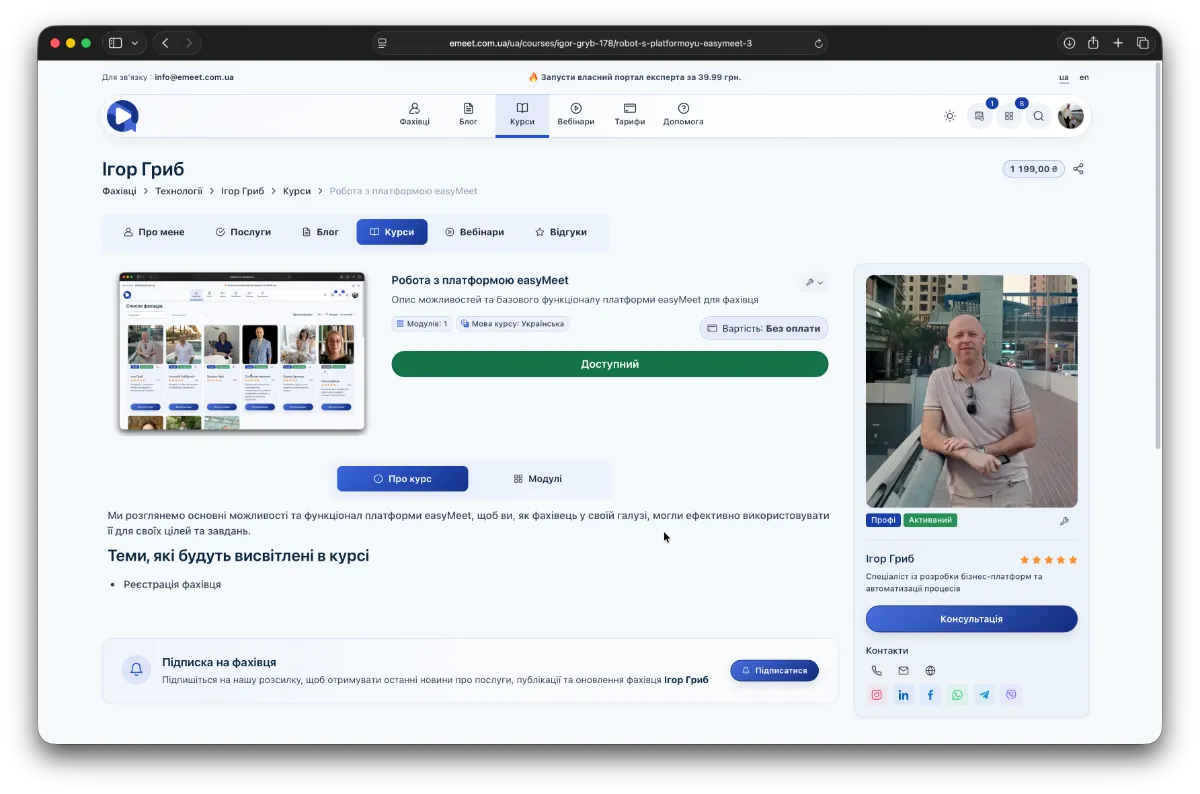
List of Course Modules
All courses consist of modules. Modules contain two types of content - Available and Paid. Available content can be accessed even without paying for the course, while Paid content is accessible only after payment.
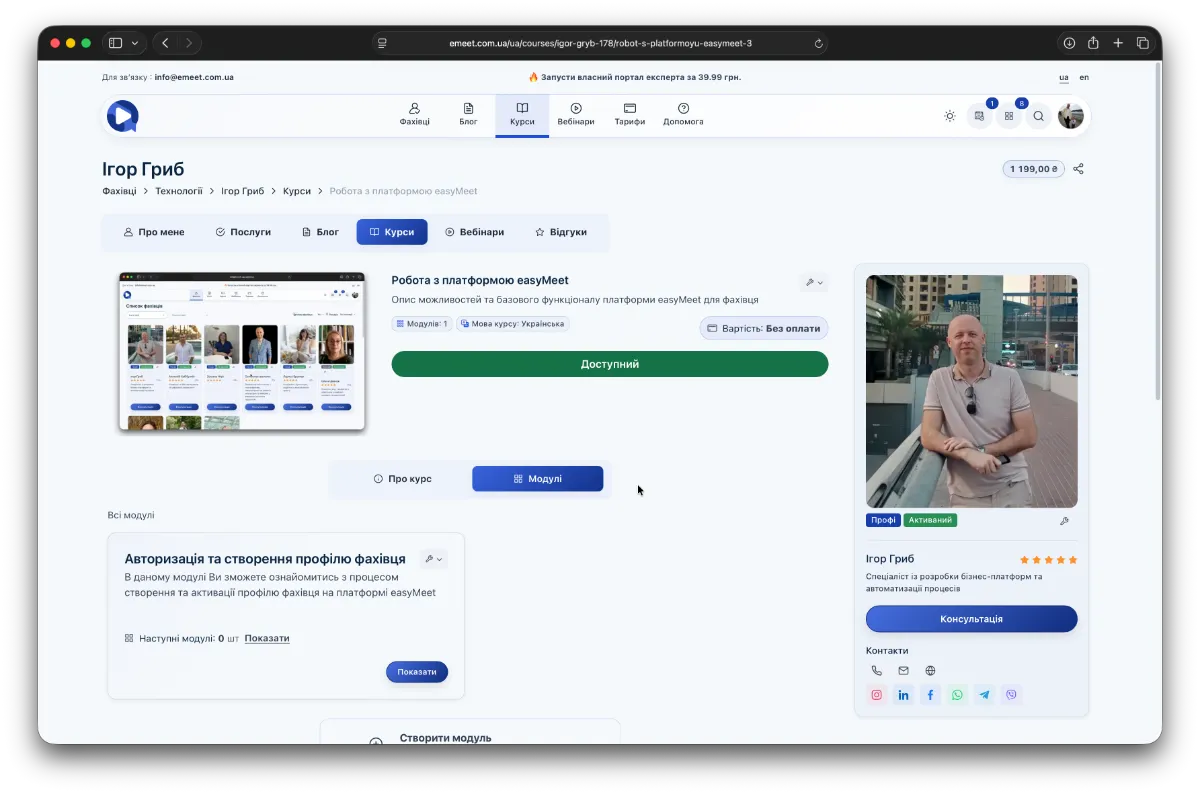
Module and Its Content
To explore a course module and its content, go to the Modules tab on the course page. The list will display all course modules. Then click the Show button on the desired module (bottom right corner of the module card).
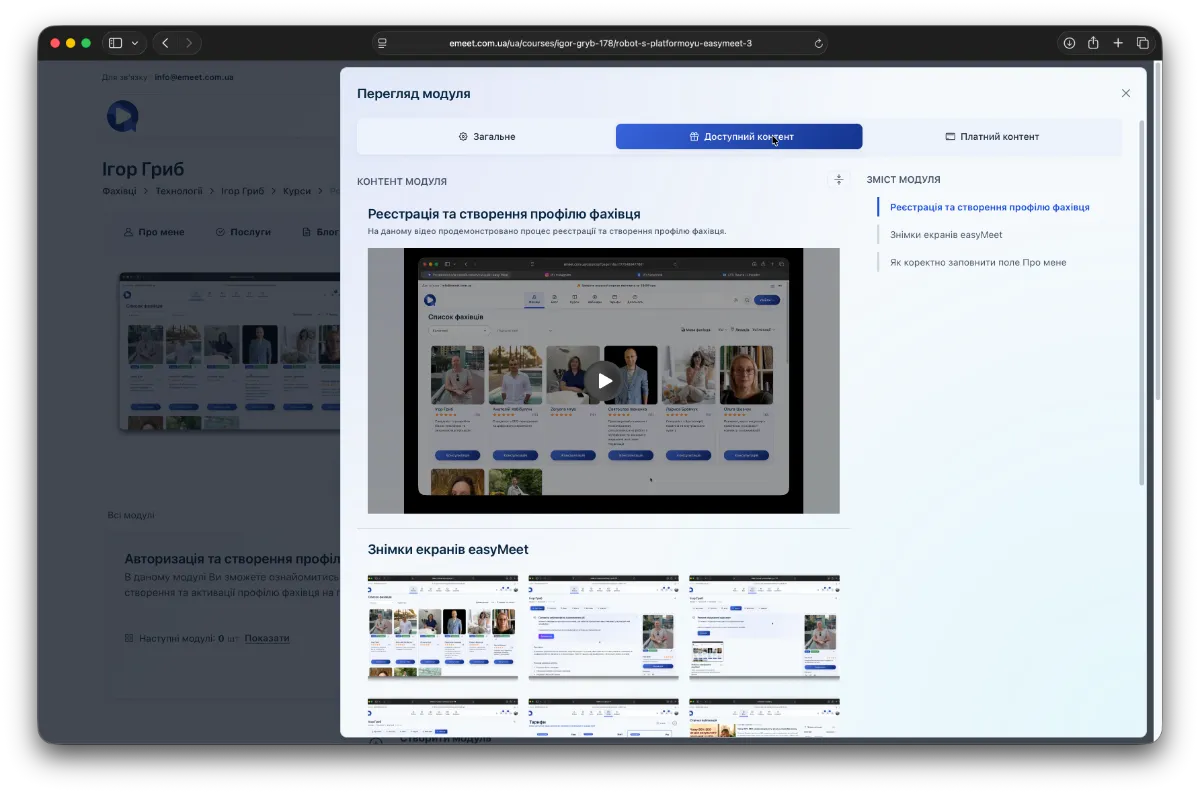
The module card has three tabs:
- General - general information about the course module
- Available Content - accessible without payment
- Paid Content - accessible only after course payment
Access to Paid Courses
Paid courses appear in My Office -> My Orders -> Courses.
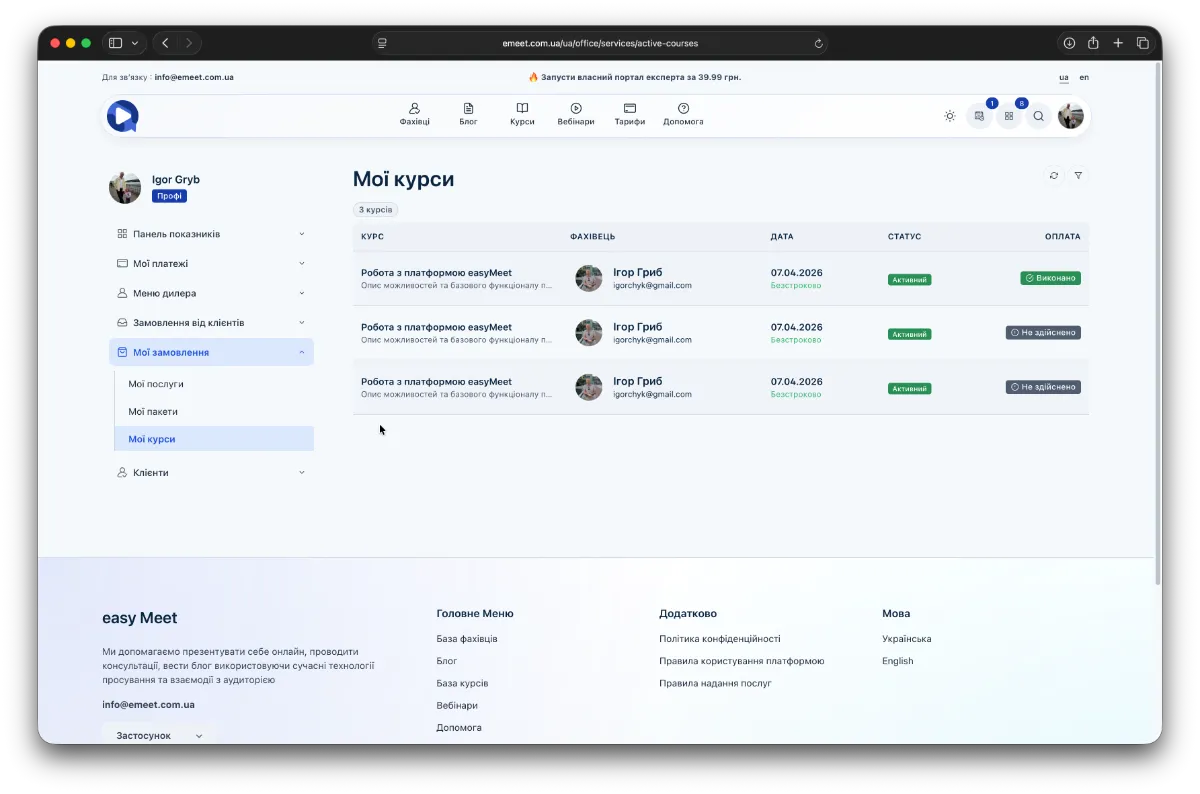
Here you will see all the courses you have paid for. Additionally, paid courses in the general course directory or in the Courses section of an individual specialist are marked as Available. Free courses also have this mark.