Specialist Work Schedule
To update your work schedule (available hours for booking consultations and events), go to your menu -> My Calendar and select working hours by clicking on the desired hour.
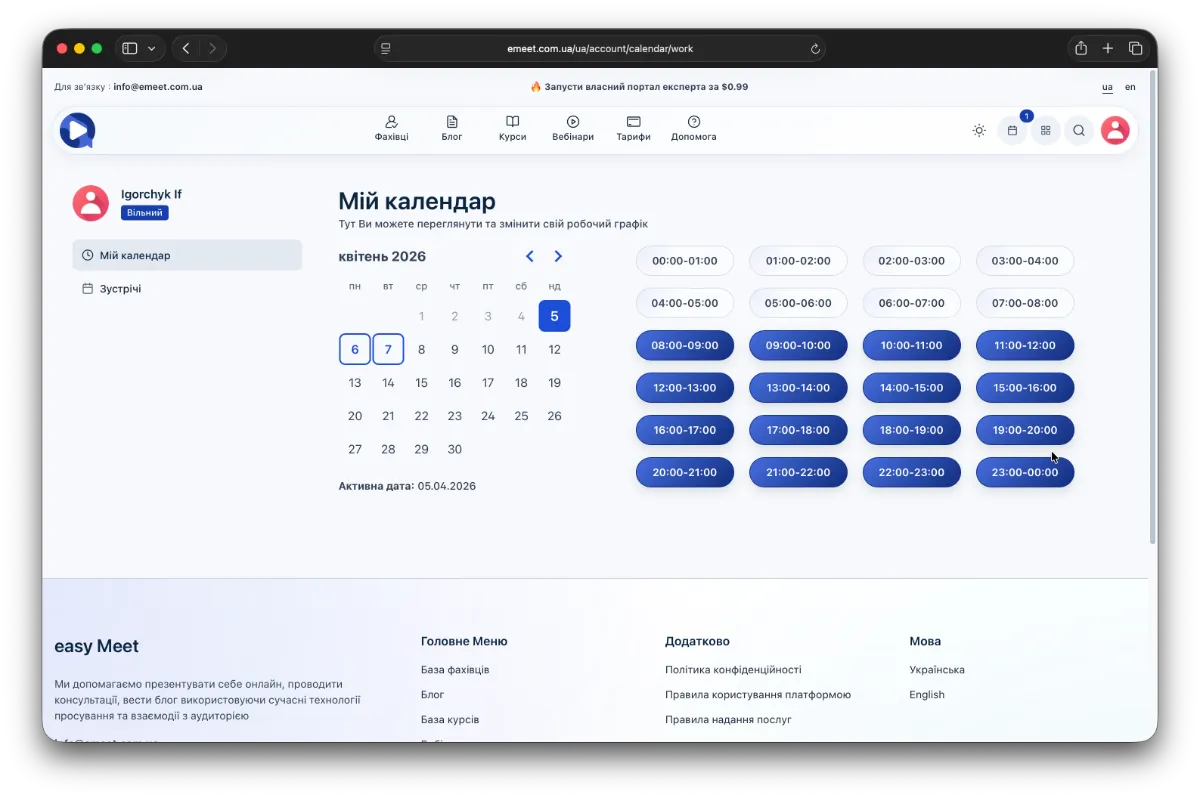
Currently, there is no automated schedule, so you need to set working hours individually for each day. We recommend doing this for a month in advance and updating (adding weekly or biweekly) to keep your calendar up to date.
Then, the working hours will be linked in the booking system for consultations and events with appropriate slot intervals for each consultation and event.
Without a work schedule, your consultations and events will be available for booking and payment only with the date chosen by the client, and you will set the time individually for each consultation or event in your calendar.