Service Packages
Service Package is a prepaid tariff purchased for a fixed price (e.g., 1000 UAH) that provides the user with an internal budget (e.g., 1200 UAH) to pay for your consultations, events, and services. It allows you, as a specialist, to receive prepayment from your clients.
Creating a Service Package
In your menu, go to My Page -> Services, and click the Create Service button. In the Create Service dialog, fill in all required fields and select Service Package in the Type field.
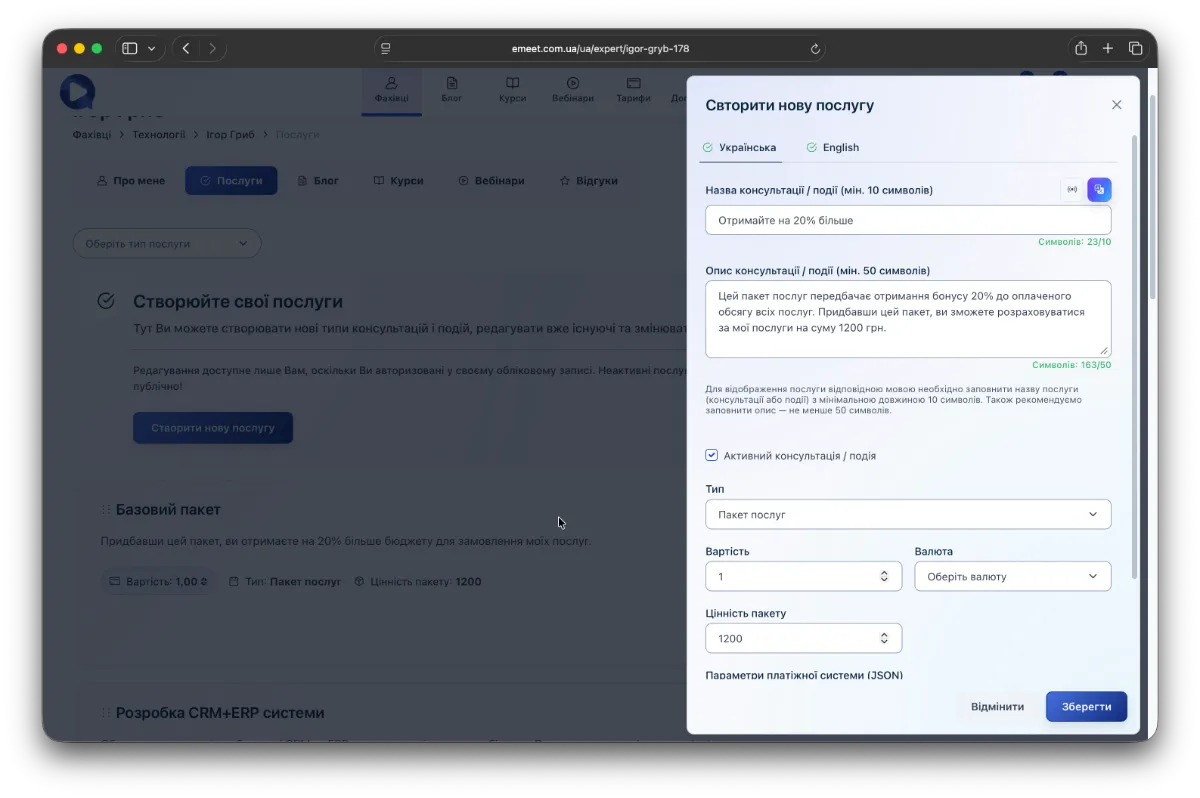
Package Value
The package value is the balance the client receives to pay for your services. All service packages are summed up per specialist. For example, if a client orders packages worth 1200 UAH and 100 UAH, they receive a total balance of 1300 UAH.
Payment Using Package Balance
When ordering specialist services, the client can pay either by the usual method or using the package balance.
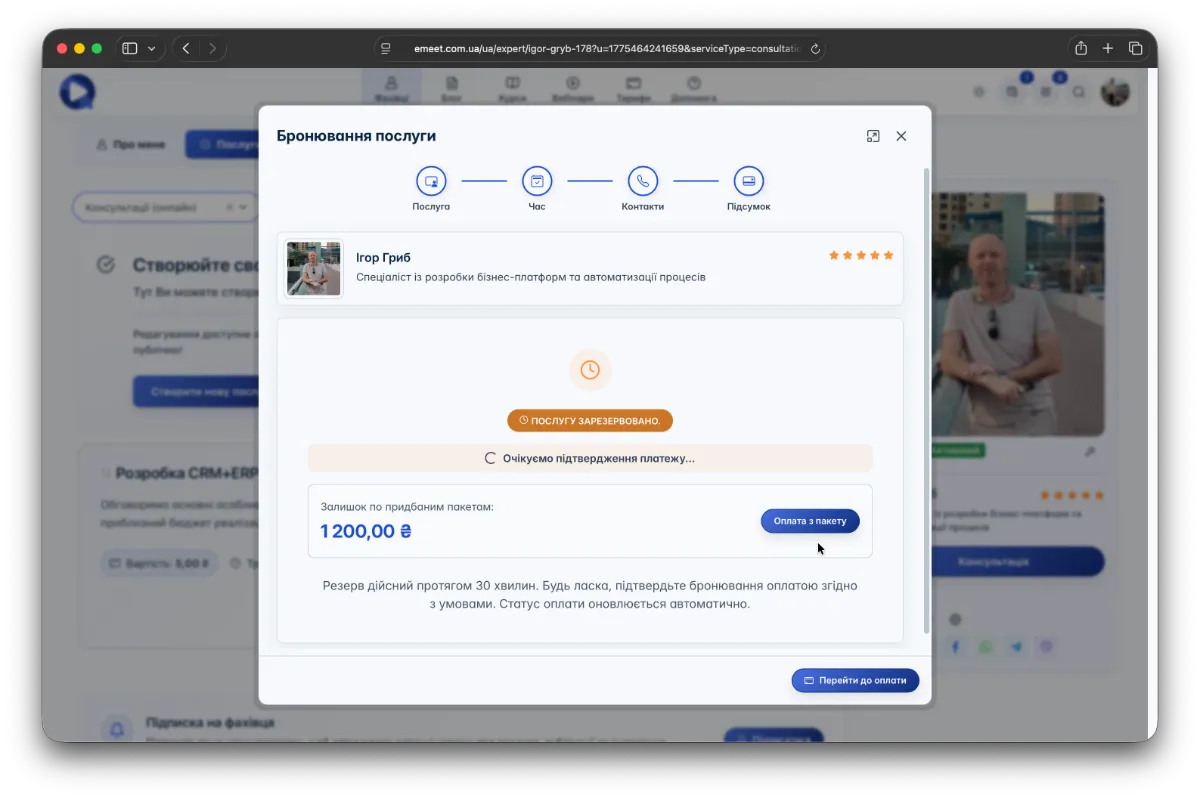
Managing Ordered Packages
To see all active packages ordered by your clients, go to My Office -> Client Orders -> Ordered Packages. You will see a list of all packages, remaining balances for each, and options to filter and search packages.
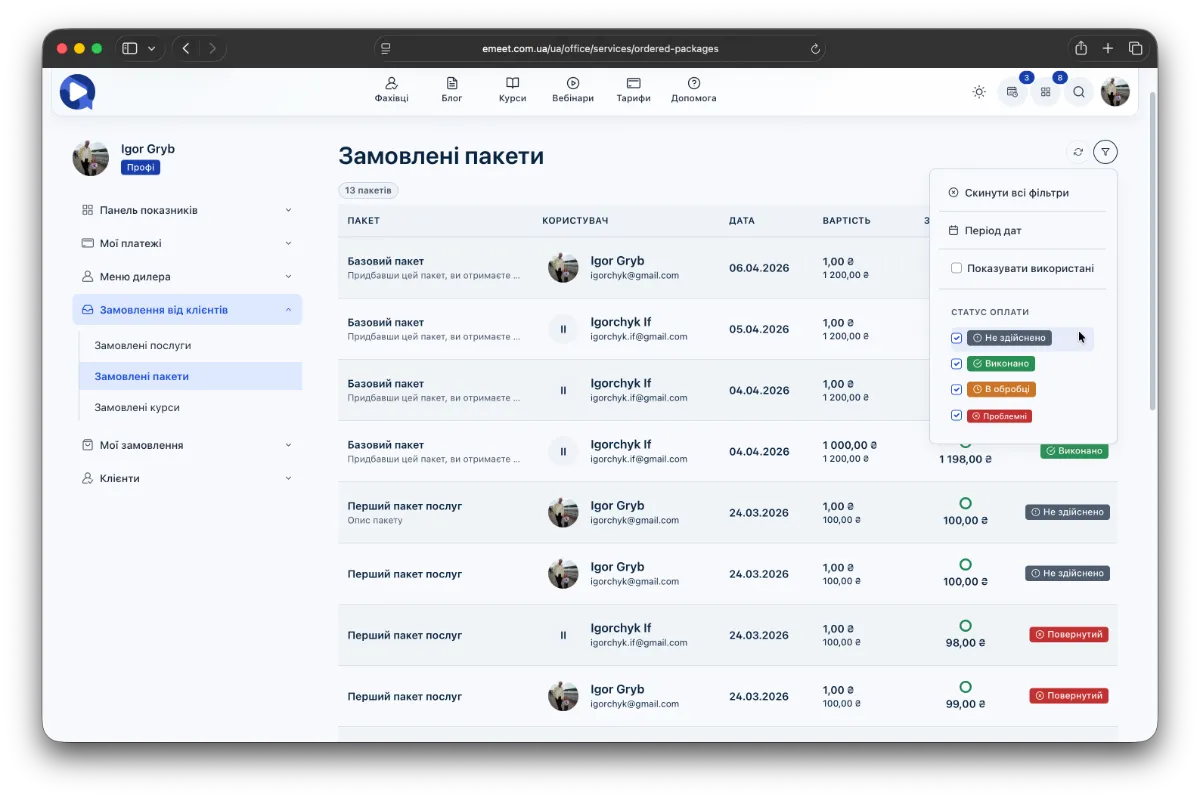
Package Balance Management
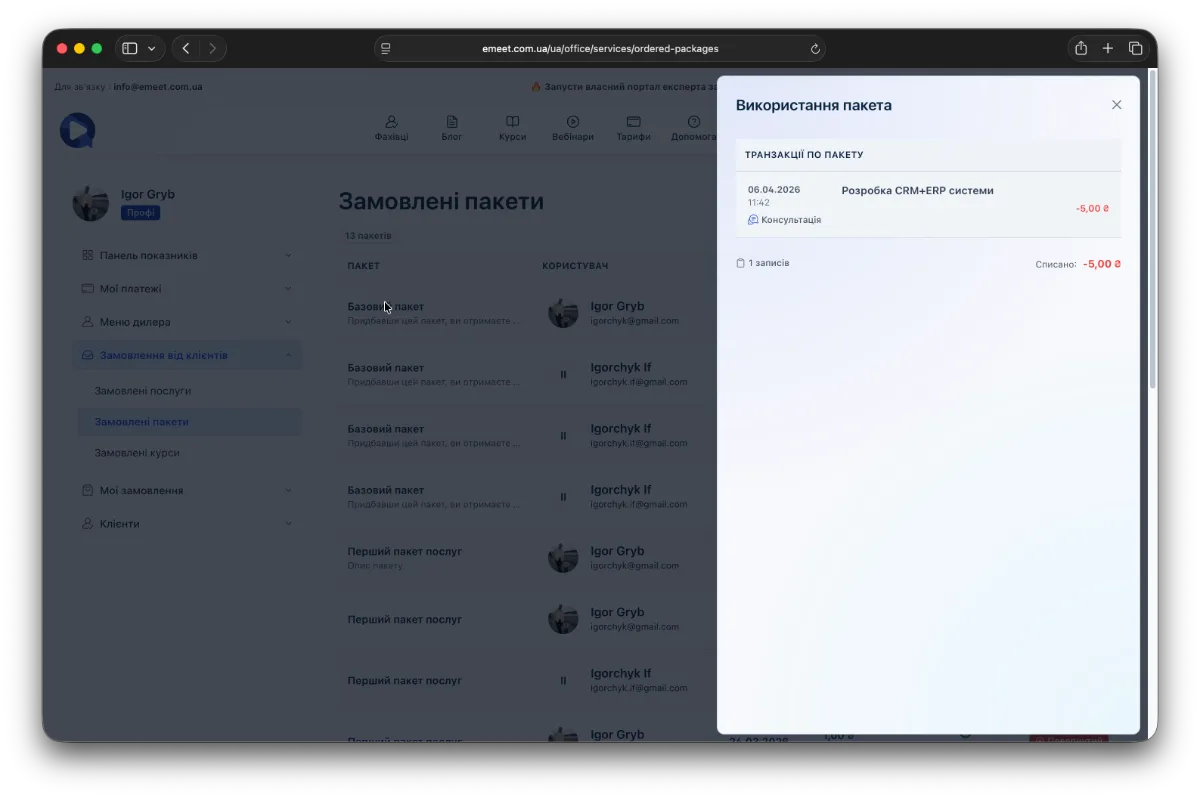
To view the usage history of a package by a client, click the package name in the table to open a dialog showing all payment transactions related to that package.