Google Meet Integration
Full Google Meet integration is available only for the Pro plan (and above).
Features of full Google Meet integration
With full Google Meet integration, an individual link is generated for each consultation and integrated into Google Calendar events.
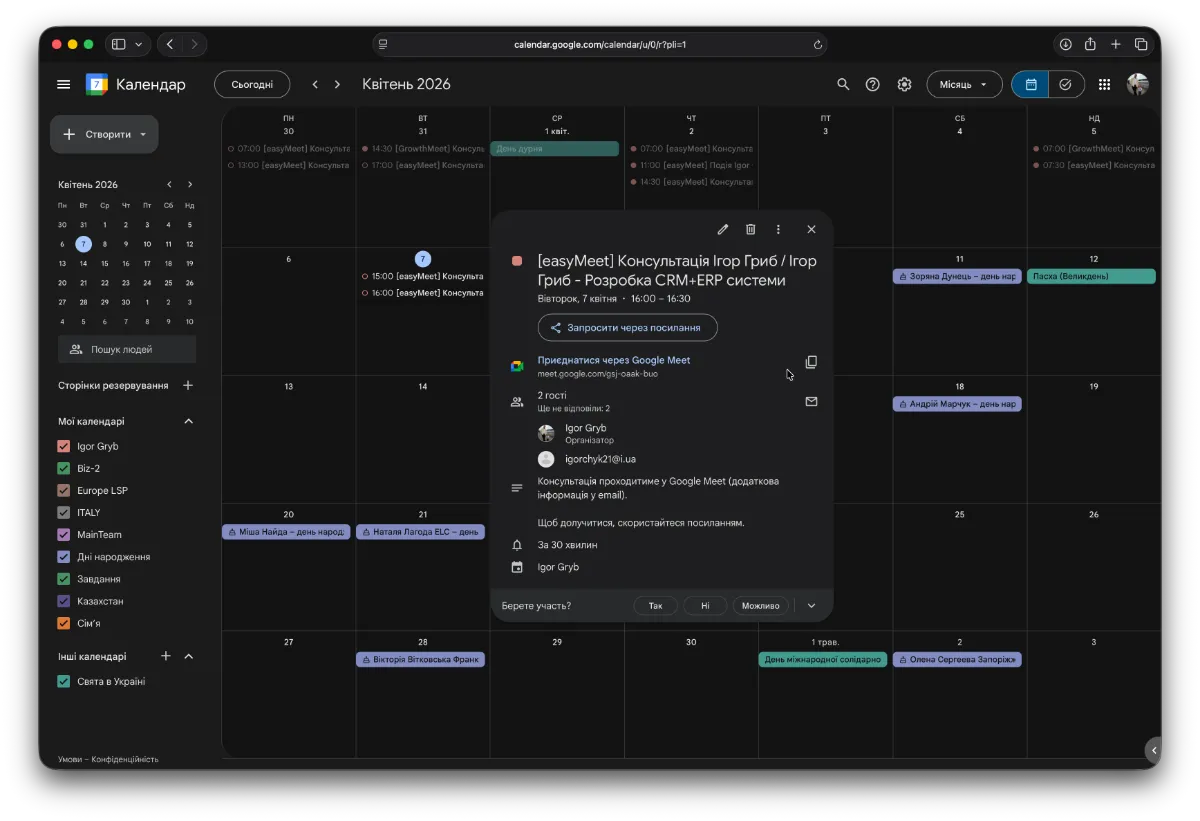
Note that even if the client’s email is not Google, an individual Google Meet link will still be generated and sent to the client’s email.
How to activate full Google Meet integration
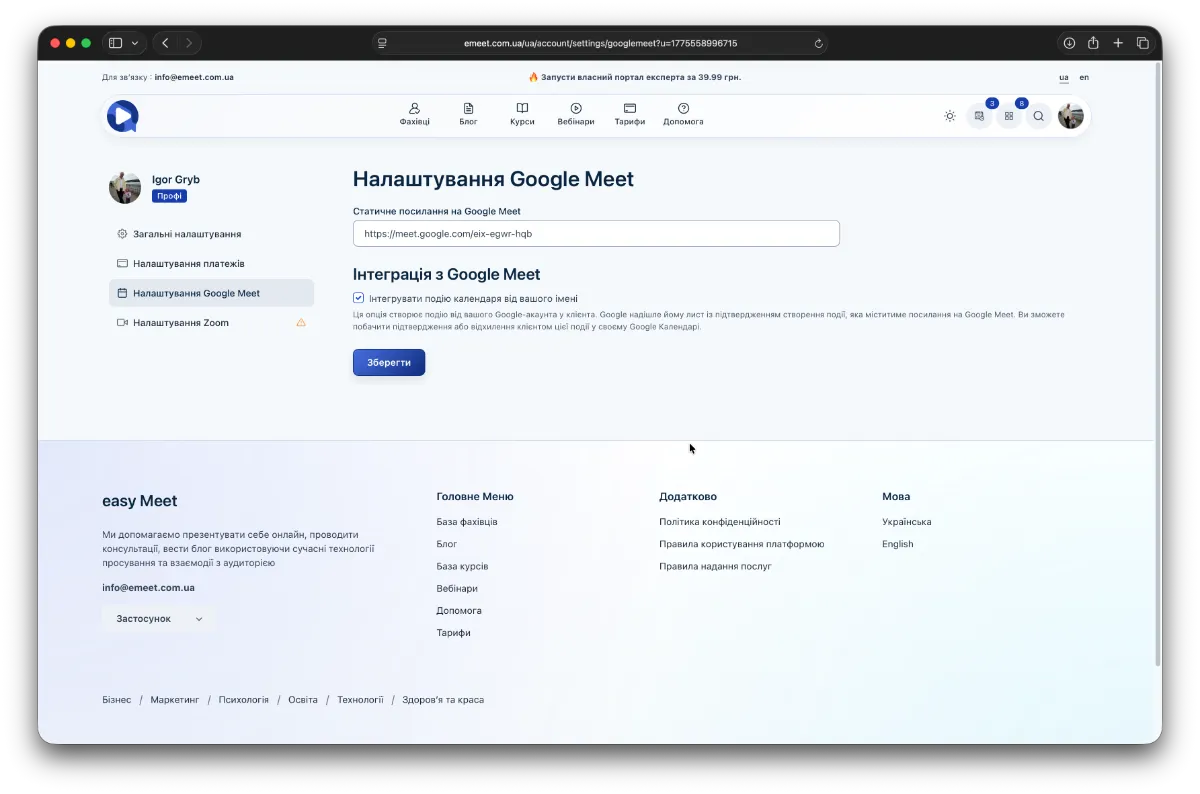
Go to the user menu to Settings -> Google Meet Settings and enable the option Integrate calendar event on your behalf.
Requirements for proper Google Meet integration
To successfully integrate Google Meet into calendar events and generate individual rooms for consultations, two conditions must be met.
- You (as a specialist) must have an active Pro subscription or higher.
- You, as a specialist, must be authorized on the easyMeet platform using Google authentication through your Google account.
If either condition is not met, then if the client chooses a consultation via Google Meet, the basic setting will apply (i.e., a static Google Meet room link).